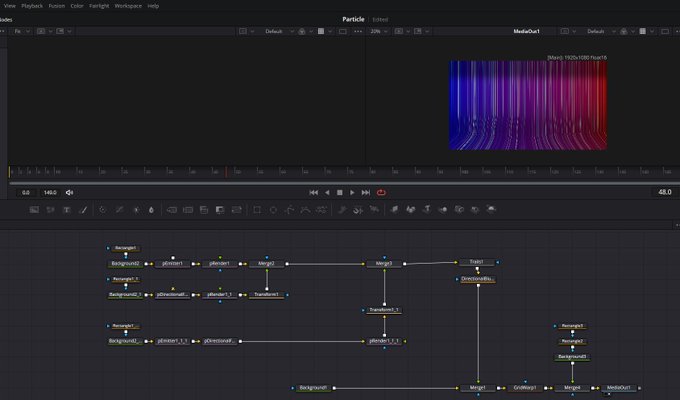
The ultimate DaVinci Resolve Shortcuts Cheat Sheet — a comprehensive reference guide with all the essential keyboard shortcuts organized by category. Whether you’re a beginner or a seasoned colorist/editor, having these shortcuts at your fingertips will dramatically boost your workflow and editing efficiency in DaVinci Resolve.
>>>>>Save this page or bookmark it — it’s the only shortcut sheet you’ll need!
DaVinci Resolve Shortcuts Cheat Sheet
Complete Reference – Easy to Copy & Paste
1. Timeline Editing
| Shortcut |
Action |
| Q | Ripple Trim Start to Playhead |
| W | Split Clip |
| E | Ripple Trim End to Playhead |
| R | Change Clip Speed |
| T | Trim Tool |
| Y | Toggle Clips on Track After |
| U | Toggle Edit Point Type |
| I | Mark In |
| O | Mark Out |
| P | Set Poster Frame |
| [ | Previous Frame |
| ] | Next Frame |
| Ctrl + Shift + D | Duplicate Selection |
| Ctrl + B | Blade (Razor) |
| Ctrl + V | Paste Attributes |
2. Playback & Navigation
| Shortcut |
Action |
| Space | Play / Pause |
| K | Stop |
| J | Reverse |
| L | Forward |
| Shift + J | Fast Reverse |
| Shift + L | Fast Forward |
| Alt + Left | Step Back One Frame |
| Alt + Right | Step Forward One Frame |
| Shift + Left | Large Step Back |
| Shift + Right | Large Step Forward |
3. Edit Tools
| Shortcut |
Action |
| A | Select / Pointer Tool |
| S | Ripple Delete / Delete |
| D | Roll Edit |
| F | Razor Tool |
| G | Slip Tool |
| H | Slide Tool |
| B | Blade Tool |
| Z | Zoom Tool |
4. Track & Clip Management
| Shortcut |
Action |
| Alt + 1~8 | Set Video Track Destination (V1–V8) |
| Ctrl + Alt + 1~8 | Set Audio Track Destination (A1–A8) |
| Ctrl + Shift + 1~8 | Toggle Track Enable/Disable |
| Alt + Shift + 1~8 | Lock Track V1–V8 |
5. Multicam
| Shortcut |
Action |
| 1~9 | Cut to Angle 1–9 |
| Alt + 1~9 | Preview Angle 1–9 |
6. Fairlight (Audio)
| Shortcut |
Action |
| F9 | Show/Hide Fairlight |
7. Color Page
| Shortcut |
Action |
| Ctrl + Alt + R | Grab Still |
| Alt + 1~8 | Save Memories 1–8 |
8. Node Editor (Color)
| Shortcut |
Action |
| Alt + S | Add Serial Node |
| Alt + P | Add Parallel Node |
| Alt + L | Add Layer Node |
9. Fusion
| Shortcut |
Action |
| A / R / G / B | Viewer Channel: Alpha / Red / Green / Blue |
| F9 | Show/Hide Control View |
10. Markers
| Shortcut |
Action |
| I | Mark In |
| O | Mark Out |
| M | Add Marker |
11. View & Workspace
| Shortcut |
Action |
| F | Fullscreen Viewer |
| Ctrl + F | Zoom Fit |
12. Transport & Jump
| Shortcut |
Action |
| , (Comma) | Previous Frame |
| . (Period) | Next Frame |
13. Clip & Media
| Shortcut |
Action |
| Ctrl + I | Import Media |
14. Timeline View
| Shortcut |
Action |
| = / Num + | Zoom In |
| – / Num – | Zoom Out |
15. Live Grading / Scopes
| Shortcut |
Action |
| Ctrl + Alt + R | Grab Still |
| Ctrl + 1~5 | Scopes (Parade, Waveform, etc.) |
16. Utility
| Shortcut |
Action |
| Ctrl + N | New Timeline |
| Ctrl + S | Save Project |
| Ctrl + Shift + S | Save Project As |
Designed for DaVinci Resolve • Shortcuts layout customized for speed and efficiency.