

Here is a free code snippet that inserts a "Related Posts" box automatically inside your articles in WordPress. To use that you need to install Code Snippets Plugin  [ Free version is good enough].
After install activate and follow this simple steps:
1. PHP Code snipet
Create a new Snippet.
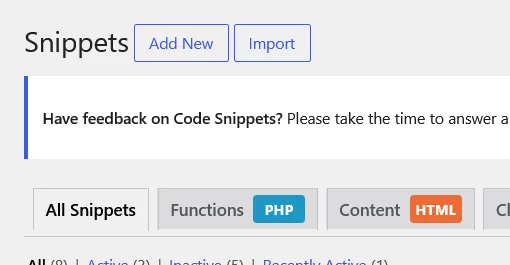
Paste this code, save it and activate it.
add_filter('the_content', 'jkd_inline_related_posts');

function jkd_inline_related_posts($content) {

    // Apply only on single posts, not on pages or admin
    if (!is_single() || is_admin()) {
        return $content;
    }

    $related = jkd_get_related_posts(get_the_ID(), 3);

    if (empty($related)) {
        return $content;
    }

    // Build the HTML box
    $box = '
    <div class="jkd-inline-related">
        <p><strong>Related Posts:</strong></p>
        <ul>';

    foreach ($related as $post) {
        $box .= '<li><a href="' . get_permalink($post->ID) . '">' . get_the_title($post->ID) . '</a></li>';
    }

    $box .= '</ul></div>';

    // Insert the box after the 3rd paragraph
    $paragraphs = explode('</p>', $content);

    if (count($paragraphs) > 3) {
        $content = implode('</p>', array_slice($paragraphs, 0, 3)) . '</p>' . $box . implode('</p>', array_slice($paragraphs, 3));
    } else {
        $content .= $box;
    }

    return $content;
}

// Helper function to get related posts
function jkd_get_related_posts($post_id, $count = 3) {
    $tags = wp_get_post_tags($post_id);
    $tag_ids = wp_list_pluck($tags, 'term_id');

    $args = array(
        'tag__in'             => $tag_ids,
        'post__not_in'        => array($post_id),
        'posts_per_page'      => $count,
        'orderby'             => 'rand',
        'ignore_sticky_posts' => 1
    );

    $related = new WP_Query($args);

    // If not enough posts found by tags, try by category
    if ($related->post_count < $count) {
        $cats = wp_get_post_categories($post_id);
        $args['category__in'] = $cats;
        $args['tag__in'] = array();
        $related = new WP_Query($args);
    }

    return $related->posts;
}
2: Add this CSS [Appearance → Customize → Additional CSS ]
.jkd-inline-related {
    background: #f8f8f8;
    border: 1px solid #ddd;
    padding: 20px;
    margin: 35px 0;
    border-radius: 8px;
}

.jkd-inline-related ul {
    list-style: disc;
    padding-left: 20px;
    margin: 12px 0 0 0;
}

.jkd-inline-related li {
    margin-bottom: 10px;
}

.jkd-inline-related a {
    background-color: #0a2540;     /* Dark Navy Blue */
    color: white !important;
    padding: 6px 12px;
    border-radius: 4px;
    text-decoration: none;
    display: inline-block;
    transition: all 0.3s;
}

.jkd-inline-related a:hover {
    background-color: #13294b;     /* Slightly lighter navy on hover */
    transform: translateY(-2px);
}
Check your posts. Done.